
Education
Workshops/Classes | Lab | Saddleback College | Handouts | Other Resources | Locations
Club members attend classes for free, non-members pay a $5 donation fee. Most classes are held in the Photo Lab Educational Classroom at Clubhouse 4. Classes are announced by email, and are listed on this web page. Join the Club!
Registration links are provided approximately one (1) month in advance.
Many other educational resources are provided below. Click the jump links above for quick access, or visit the Previous Classes & Workshops page.
Teach a class! Continue the Club tradition of members sharing their expertise. Contact Mary Madden, Education Chair and let her know your area of expertise.
View the Club Calendar Online | View Classes From Previous Years
2026 Classes & Workshops
-
September
- Beginning Photoshop
Art Ramirez
Thursday SEPT. 17, 24 OCT. 1, 8, 15, 22, 29 (7 classes)
10:00am-12:00pm
Clubhouse #4, Photo Lab Educational ClassroomRepeat class.
If you have never worked on a photo program before, Art has 2 words for you…
DON’T PANIC!This class will introduce you to the basics of adjusting your Photographs. Some of the topics covered will be: How to Adjust Light & Color, Cropping, Removing Unwanted Objects, Adding Text, and Working With RAW Images, plus a few more. Be sure you have Photoshop Creative Cloud installed on your computer.
Art will supply images for the class.
$70 for the seven classes, paid in full on first day of class.
- Intermediate Photoshop
Art Ramirez
Tuesday SEPT. 15, 22, 29 OCT. 6, 13, 20, 27 (7 classes)
10:00am-12:00pm
Clubhouse #4, Photo Lab Educational ClassroomRepeat class.
This seven week (7) class will introduce you to more advanced methods of editing your photos. Topics covered include: Adjusting Light & Color, Using Layers & Groups, Working with Masks, Removing Objects, Working with Text, Sharpening Images, and much more…
$70 for the seven classes, paid in full on first day of class.
-
August
- Android Photography: Tips & Tricks – NEXT
Joel Sigman
FRIDAY AUGUST 28, 2026 10:00am – 12:00pm
Clubhouse #4, Photo Lab Educational ClassroomRepeat of a popular workshop.
Is your Android phone always handy? Would you like to take better photos and edit them on your phone?
Then, this class is for you!
Joel will be presenting “tips and tricks” using the camera and editing apps on an Android phone. Googlree has been introducing many new features for picture taking on Android phones that make it easier to create great photographs, which Joel will discuss. He will also cover how to share these photos and how to back them up to the Cloud or your personal computer.
Please bring your charged cellphone with you for this hands-on class.
Note: Joel will use his Samsung Android phone to teach and demonstrate.
- How to Edit Astro Photography – COMPLETED
Ted Koelsch
THURSDAY AUGUST 6, 2026 10:00am – 12:00pm
Clubhouse #4, Photo Lab Educational ClassroomRepeat of a popular workshop.
Learn to edit your night sky photographs.
- Mounting & Matting Photographs – COMPLETED
Jack Salvador, Stuart Rubin
TUESDAY AUGUST 4, 2026 10:00am – 12:00pm
Clubhouse #4, Photo Lab Educational ClassroomRepeat of a popular workshop.
Learn the fundamentals of matting and mounting your photographs. Examples will be demonstrated of classic methods of this essential part of displaying your images. Matting materials will be provided for some hands on practice.
Limited to 15 persons.
- iPhone Photography – COMPLETED
Gene Holloway
MONDAY AUGUST 3 (5 weeks final class), 1:00-2:30pm
Mac Club Learning Center
3rd Floor, Laguna Woods Village Community Center, 24351 El Toro Road, Laguna Woods.This five (5) week class starts at the beginning level, and builds upon each week’s material. Handouts will be available for future reference.
This course is provided by the Laguna Woods Village Mac Club for and in collaboration with the Camera Club. A two dollar ($2) donation for each class is expected. Handouts for each class will be provided.
You may attend each class individually. Limited to 25 participants.
-
July
- Travel Photography – COMPLETED
Mary Madden
THURSDAY JULY 30, 10:00AM-12:00PM
Clubhouse #4, Photo Lab Educational ClassroomRepeat class.
A avid traveler and photographer, Mary gives us tips on travel photography, including packing camera equipment.
- Workshop: Advanced Printing – COMPLETED
Jack Salvador
TUESDAY JULY 14, 10:00am-12:00pm
Clubhouse #4, Photo Lab Educational ClassroomRepeat class.
Jack will demonstrate the print prep and out put process using one or two images. Images may be selected by images provided by the participants.
Print resolution, color balance, sharpness, print gamut, resizing (up or down), resolution, color mode, and more will be considered while preparing images for print.
Prints wil be created to illustrate the print options using different papers.
- Field Trip: Astro Photography – COMPLETED
Ted Koelsch
SATURDAY JULY 11, 2026 8:00-11:30pm
Location: Joshua TreeRepeat class.
Now that the core of the Milky Way is visible in the northern hemisphere, come join us for a field trip to put all your new found knowledge into practice.
Arrange your own transportation, and accommodations, with guidance from Ted and your classmates, then join Ted in the evening so he can guide you while you photograph the Milky Way.
- Beginning Printing – COMPLETED
Jack Salvador
TUESDAY JULY 7, 1:00-3:00pm
Clubhouse #4, Photo Lab Educational ClassroomRepeat class.
This class prepares you to start printing, and shows you how to improve your printing process- it is not a hands-on printing class.
– why are prints important for photographers
– what makes a good print
– evaluating your image for printing
– what steps are needed to produce a good finished print, including Adobe Photoshop steps
– how printers can improve your printsJack will show how printing actually begins in the camera, how to address typical image problems that interfere with achieving a good print, and how you can use the Camera Club Photo Lab to advance your printing skills.
Print examples by master photographers will be referenced.
- Night Sky Photography: A Conversation on Tools & Planning – COMPLETED
Ted Koelsch
TUESDAY JULY 7, 2026 10:00am – 12:00pm
Clubhouse #4, Photo Lab Educational ClassroomRepeat class.
Now that the core of the Milky Way is visible in the northern hemisphere, come join us for an interactive presentation and discussion on EVERYTHING (probably not quite everything – but who knows!) you need to know to capture the beauty of the night sky.
For those who have never attempted Night Sky Photography we will go over the basics:
What type of camera?
What lenses?
What settings?
Can I use my phone?
For those who have ventured out into the darkness – bring your questions and experiences.Additionally, we will go over what tools are available to help you plan your night sky adventure, including but not limited to Google Earth, Stellarium, PhotoPills and Planit Pro, and use them to actually plan a shot at Crater Lake – or a location of your choice.
- iPhone Photography – COMPLETED
Gene Holloway
MONDAY JULY 6, 13, 20, 27 AUGUST 3 (5 weeks), 1:00-2:30pm
Mac Club Learning Center
3rd Floor, Laguna Woods Village Community Center, 24351 El Toro Road, Laguna Woods.This five (5) week class starts at the beginning level, and builds upon each week’s material. Handouts will be available for future reference.
This course is provided by the Laguna Woods Village Mac Club for and in collaboration with the Camera Club. A two dollar ($2) donation for each class is expected. Handouts for each class will be provided.
You may attend each class individually. Limited to 25 participants.
Register full.
-
June
- Still Life Photography Basics – COMPLETED
Esther Spektor
Friday June 5, 2026, 10:00AM-12:00PM
Clubhouse #4, Photo Lab Educational ClassroomRepeat class. 2nd Part of Class
Camera Club member Esther Spektor is an internationally recognized designer, and still life photographer.
This second class will be a Still Life workshop.
Participants will practice creating Still Life compositions working with props, fabrics, background, and lighting. Some props will be provided, yet students are encouraged to bring their own props.
Bring smartphones or cameras to capture the results.
Don’t miss this special class!
- Beginning Photoshop – COMPLETED
Art Ramirez
Thursday JUNE 4, 11, 18 (Last 3 classes of 7 continued from May.)
10:00am-12:00pm
Clubhouse #4, Photo Lab Educational ClassroomContinuation of class with four sessions in May. Repeat class.
If you have never worked on a photo program before, Art has 2 words for you…
DON’T PANIC!This class will introduce you to the basics of adjusting your Photographs. Some of the topics covered will be: How to Adjust Light & Color, Cropping, Removing Unwanted Objects, Adding Text, and Working With RAW Images, plus a few more. Be sure you have Photoshop Creative Cloud installed on your computer.
$10/each class, Art will supply images for the class.
- Intermediate Photoshop – COMPLETED
Art Ramirez
Tuesday JUNE 2, 9, 16 (Last 3 classes of 7 continued from May.)
10:00am-12:00pm
Clubhouse #4, Photo Lab Educational ClassroomRepeat class.
This seven week (7) class will introduce you to more advanced methods of editing your photos. Topics covered include: Adjusting Light & Color, Using Layers & Groups, Working with Masks, Removing Objects, Working with Text, Sharpening Images, and much more…
($10/each class)
- How to Submit to a Critique – COMPLETED
Rodney Cooper & Friends
TUESDAY JUNE 2, 1:30am-3:00pm
Clubhouse #4, Photo Lab Educational ClassroomSubmitting to a Critique
Rodney Cooper is the Critiques Chair and Past Camera Club President and he has plenty of Critique submissions under his belt – he knows the pitfalls, highs, and lows of the Critiques.
Rodney will review the guidelines for a Critique and how to prepare your images. The workshop will go over the rules and guidelines for submission and the category definitions. Then we will answer your questions. If you would like to bring images on a thumb drive, we will walk you through the process for making sure all the naming and size requirements are met and how to submit them for critique.
Note: This is a process workshop rather than a feedback on image content.
This class will:
- Teach you how to prepare your images for submission
- Give you feedback on some of your images
- Discuss the Critique Categories
- Discuss the Submission Rules
Critiques can be a lot of fun, a real challenge, and a great way to grow as a photographer. Join Rodney and the Critique’s Team for this informative session.
For more information, see the Critiques web page.
This workshop is limited to 20 attendees.
-
May
- Still Life Photography Basics – COMPLETED
Esther Spektor
Friday May 29, 2026, 10:00AM-12:00PM
Friday June 5, 2026, 10:00AM-12:00PM
Clubhouse #4, Photo Lab Educational ClassroomRepeat class.
Camera Club member Esther Spektor is an internationally recognized designer, and still life photographer.
In the first class, Esther will introduce you to:
- The history of Still Life genre
- Types of Still Life photography
- Composition styles, elements of design, concepts
- Lighting and camera setting
The second class will be a Still Life workshop.
Participants will practice creating Still Life compositions working with props, fabrics, background, and lighting. Some props will be provided, yet students are encouraged to bring their own props.
Bring smartphones or cameras to capture the results.
Don’t miss this special class!
- Beginning Photoshop – CONTINUED IN JUNE
Art Ramirez
Thursday MAY 7, 14, 21, 28 JUNE 4, 11, 18 (7 classes – continued from May)
10:00am-12:00pm
Clubhouse #4, Photo Lab Educational ClassroomRepeat class.
If you have never worked on a photo program before, Art has 2 words for you…
DON’T PANIC!This class will introduce you to the basics of adjusting your Photographs. Some of the topics covered will be: How to Adjust Light & Color, Cropping, Removing Unwanted Objects, Adding Text, and Working With RAW Images, plus a few more. Be sure you have Photoshop Creative Cloud installed on your computer.
$10/each class, Art will supply images for the class.
- Intermediate Photoshop – CONTINUED IN JUNE
Art Ramirez
Tuesday MAY 5, 12, 19, 26, JUNE 2, 9, 16 (7 classes)
10:00am-12:00pm
Clubhouse #4, Photo Lab Educational ClassroomRepeat class.
This seven week (7) class will introduce you to more advanced methods of editing your photos. Topics covered include: Adjusting Light & Color, Using Layers & Groups, Working with Masks, Removing Objects, Working with Text, Sharpening Images, and much more…
-
April
- How to Create a Photo Calendar – COMPLETED
Doe Krug
TUESDAY APRIL 21, 10:00am-12:00pm
Clubhouse #4, Photo Lab Educational ClassroomNEW class.
Learn the tricks and tips of how to create a professional looking photo calendar from Camera Club member Doe Krug.
Doe has been making calendars for friends and family for years. She knows the companies that can provide you with starter templates, printing services, and all you need to end up with a great photo calendar.
Get the inside info directly from Doe in this new class.
- Making Images That Matter: What Judges Respond to and Why Viewers Remember – COMPLETED
Larry Vogel
THURSDAY APRIL 16, 10:00am-12:00pm
Clubhouse #4, Photo Lab Educational ClassroomNEW class.
What elevates a photograph from competent to compelling? While judging often involves scores and categories, strong images consistently share deeper qualities that resonate with both judges and viewers alike.
This presentation explores the creative and technical elements that give photographs impact, intention, composition, light, emotional clarity, and visual flow, and how thoughtful choices can transform an average image into an outstanding one.
By understanding how images are read and responded to by judges and viewers, photographers can make more deliberate decisions and create work that stands out in competition and endures beyond it.
- Beginning Printing – COMPLETED
Jack Salvador
TUESDAY APRIL 14, 10:00am-12:00pm
Clubhouse #4, Photo Lab Educational ClassroomRepeat class.
This class prepares you to start printing, and shows you how to improve your printing process- it is not a hands-on printing class.
– why are prints important for photographers
– what makes a good print
– evaluating your image for printing
– what steps are needed to produce a good finished print, including Adobe Photoshop steps
– how printers can improve your printsJack will show how printing actually begins in the camera, how to address typical image problems that interfere with achieving a good print, and how you can use the Camera Club Photo Lab to advance your printing skills.
Print examples by master photographers will be referenced.
-
March
- Workshop: Advanced Printing – COMPLETED
Jack Salvador
TUESDAY MARCH 31, 10:00am-12:00pm
Clubhouse #4, Photo Lab Educational ClassroomLimited to six (6) participants.
Jack will demonstrate the print process using images provided by the participants.
Print resolution, color balance, sharpness, print gamut, resizing (up or down), resolution, color mode, and more will be considered while preparing images for print.
All participants may submit up to three images for consideration for printing. All registrants will have one image evaluated and reviewd, but time constraints may not permit all registrants to receive a finished print.
Finished printed images may be sized from 4″x6″ up to 44″x60″ inches, as per the wishes of the participants. Print charges will apply, including test prints.
- Mounting & Matting Photographs – COMPLETED
Jack Salvador, Stuart Rubin
TUESDAY MARCH 10, 2026 10:00am – 12:00pm
Clubhouse #4, Photo Lab Educational ClassroomRepeat of a popular workshop.
Learn the fundamentals of matting and mounting your photographs. Examples will be demonstrated of classic methods of this essential part of displaying your images. Matting materials will be provided for some hands on practice.
- Lightroom – COMPLETED
Adriana Greisman
MARCH 6, 13, 20, 27, 2026 10:00am – 12:00pm
CONTINUATION of 6 Classes from February
Clubhouse #4, Photo Lab Educational ClassroomThis 6 session class will cover importing photos directly to LR & via Photo Mechanic, catalogs, keywording, basic editing sliders, histogram, masking, tone curve, color adjustments (white balance, mixer, grading, calibration), sharpen/denoise, effects, lens blur, transform, lens corrections, integration with photoshop-topaz/HDR/focus stacking, presets, plugins, & workflow recommendations.
This class will be a combination of lectures &demonstrations – with a lot of time spent working with students on their computers, assisting them in importing, keywording, editing photos, and addressing questions or problems they may have encountered in completing assignments. Students must have Adobe Lightroom installed on their computers.
Registration required via club website. $60 for the 6 session course. Please contact hello@adrianagreismanphotography.comto arrange payment.
- Major Photography Competitions: Do’s & Don’ts – COMPLETED
Adriana Greisman
THURSDAY MARCH 5th, 9am – 11am
Clubhouse #4, Photo Lab Educational ClassroomThis class will cover several of the major competitions and what each is looking for today. Topics such as how to select your photos, postprocessing for competition, how to enter, & benefits other than prizes that you gain from entering competitions.
-
February
- Lightroom A to Z – COMPLETED
Adriana Greisman
FRIDAY FEBRUARY 20, 27 MARCH 6, 13, 20, 27, 2026 10:00am – 12:00pm
Six (6) Sessions
Clubhouse #4, Photo Lab Educational ClassroomThis 6 session class will cover importing photos directly to LR & via Photo Mechanic, catalogs, keywording, basic editing sliders, histogram, masking, tone curve, color adjustments (white balance, mixer, grading, calibration), sharpen/denoise, effects, lens blur, transform, lens corrections, integration with photoshop-topaz/HDR/focus stacking, presets, plugins, & workflow recommendations.
This class will be a combination of lectures &demonstrations – with a lot of time spent working with students on their computers, assisting them in importing, keywording, editing photos, and addressing questions or problems they may have encountered in completing assignments. Students must have Adobe Lightroom installed on their computers.
- Design Elements: 3 Sessions – ON HOLD – Sessions #2 & #3 to be rescheduled
Penni RubinPART 1: “Get the Picture” – Design Elements
THURSDAY FEBRUARY 12, 2025 9:30 – 11:30am
Clubhouse #4, Photo Lab Educational ClassroomThere are 10 design elements that will enhance your photography and inspire you to get better results.
Learn how to spot these elements and shoot fabulous photos using tricks of good design.AND
PART 2: Field Trip
POSTPONED DUE TO RAIN
NEW DATE TBD
Fielf Trip – Location TBDTravel to a location for a photography field trip.
AND
PART 3: Classroom Critique
POSTPONED UNTIL PART 2 COMPLETED
NEW DATE TBD
Clubhouse #4, Photo Lab Educational ClassroomReview the images taken on the Field Trip in light of Design Elements.
One registration is good for all three parts of this class.
- “Baker’s Half Dozen”, Beginning Photography – COMPLETED
David Dearing and Friends
MONDAY FEBRUARY 9 & TUESDAY FEBRUARY 10, 2026 1:30 – 3:30pm
Two Sessions
Clubhouse #4, Photo Lab Educational ClassroomThe Baker’s Half Dozen Tips will be offered two days in the Clubhouse 4 Camera Club Classroom.
For Beginner to Intermediate photographers, we will cover a broad range of topics: composition, lighting, post processing and sharing among others
Built into the class is time for individual hands-on-learning with one of David’s able assistants: Mark Rabinowitch and Peter Battin.
Please bring your camera manual!Cell phone images are part of the instruction.
Student images taken on first class will be discussed the second class.
- Mounting & Matting Photographs – COMPLETED
Jack Salvador, Stuart Rubin
FRIDAY FEBRUARY 6, 2026 10:00am – 12:00pm
Clubhouse #4, Photo Lab Educational ClassroomLearn the fundamentals of matting and mounting your photographs. Examples will be demonstrated of classic methods of this essential part of displaying your images. Matting materials will be provided for some hands on practice.
-
January
- Beginning Printing – COMPLETED
Jack Salvador
THURSDAY JANUARY 29, 9:30am-11:30pm
Clubhouse #4, Photo Lab Educational ClassroomThis class prepares you to start printing, and shows you how to improve your printing process- it is not a hands-on printing class.
– why are prints important for photographers
– what makes a good print
– evaluating your image for printing
– what steps are needed to produce a good finished print, including Adobe Photoshop steps
– how printers can improve your printsJack will show how printing actually begins in the camera, how to address typical image problems that interfere with achieving a good print, and how you can use the Camera Club Photo Lab to advance your printing skills.
Print examples by master photographers will be referenced.
- Lightroom Masking Techniques – COMPLETED
Ted Koelsch
THURSDAY JANUARY 15, 9:30am-11:30pm
Clubhouse #4, Photo Lab Educational ClassroomTo make an image come to life, most images need more than just global edits (which affect the entire image). Masking allows you to make targeted local edits, which affect only specific parts of an image.
In this class, we will explore advanced masking techniques available in Lightroom Classic, Lightroom, and Adobe Camera Raw (ACR) that can be used to select those parts of your image that, when adjusted, can make your images truly your own.
We will explore the strengths and weaknesses of AI masks used to select items such as Sky, Subject, Landscape, and People, as well as Manual masks (Brush, Linear, and Radial Gradients) and Range masks including Color, Luminance, and Depth. Moreover, modification and refinement of these basic masks through adding masks together, subtracting one mask from another and intersecting masks with each other will allow the creation of complex, targeted masks that are unique to your image and which will allow you to bring your vision to life.
- How to Submit to a Critique – COMPLETED
Rodney Cooper & Friends
WEDNESDAY JANUARY 14, 1:30am-3:00pm
Clubhouse #4, Photo Lab Educational ClassroomSubmitting to a Critique
Rodney Cooper is the Critiques Chair and Past Camera Club President and he has plenty of Critique submissions under his belt – he knows the pitfalls, highs, and lows of the Critiques.
Rodney will review the guidelines for a Critique and how to prepare your images. The workshop will go over the rules and guidelines for submission and the category definitions. Then we will answer your questions. If you would like to bring images on a thumb drive, we will walk you through the process for making sure all the naming and size requirements are met and how to submit them for critique.
Note: This is a process workshop rather than a feedback on image content.
This class will:
- Teach you how to prepare your images for submission
- Give you feedback on some of your images
- Discuss the Critique Categories
- Discuss the Submission Rules
Critiques can be a lot of fun, a real challenge, and a great way to grow as a photographer. Join Rodney and the Critique’s Team for this informative session.
For more information, see the Critiques web page.
This workshop is limited to 20 attendees.
- iPhone Photography – COMPLETED
Gene Holloway
MONDAY JANUARY 5, 12, 19, 26, FEBRUARY 2 (5 weeks), 1:00-2:30pm
Mac Club Learning Center
3rd Floor, Laguna Woods Village Community Center, 24351 El Toro Road, Laguna Woods.This five (5) week class starts at the beginning level, and builds upon each week’s material. Handouts will be available for future reference.
This course is provided by the Laguna Woods Village Mac Club for and in collaboration with the Camera Club. A two dollar ($2) donation for each class is expected. Handouts for each class will be provided.
You may attend each class individually. Limited to 25 participants.
Photo Lab – Fred Granger Learning Center
Located at Clubhouse 4 in the Photo Lab, The Fred Granger Learning Center provides a classroom like setting for various in-person workshops and classes available through our Educational Program.
The Photo Lab also has a wide range of equipment and supplies for use by Camera Club Members and Laguna Woods Village residents.
Supervisors can provide guidance during open hours on using the Lab computers, software, printers, tools, and equipment.
Lab hours: 10:00AM–2:00PM Monday-Friday, and Tuesdays until 8PM.
Map of the Clubhouse (JPG, 175 KB)
The Resources/Lab Page – details about the Photo Lab.
Saddleback College Emeritus Institute
The Institute was established as an educational opportunity for the pursuit and enhancement of lifelong learning, primarily for the older adult. The Emeritus Institute offers several photography-related courses – free to Village Residents – that meet in the Clubhouse 4 Photography Classroom.
You can pick up a copy of the class catalog at the Emeritus Institute office in Clubhouse 4.
Emeritus Institute Classes: http://www.saddleback.edu/emeritus/.
Top-of-page
Handouts / Guides
Photographic Guides Helpful in the Photo Lab 2025
Matting & Mounting Guide 1 (PDF)
Matting & Mounting Guide 2 (PDF)
Beginning Printing with Photoshop (PDF)
Making Test Prints in Photoshop (PDF)
UpRez Images with Topaz Gigapixelin Photoshop (PDF)
Recommended Smart Phone Apps for PhotographersBy Erin Manning, Travel Photographer
An informative list of smarting phone apps for photography, video, and travelling.
Photographic Apps, by Erin Manning (PDF, 157 MB)
Print MattingHandout from Alan Pollock’s class, May 6, 2013.
Print Matting (PDF, 637 KB)
Ways to Share Your PhotosPresentations from Joel Goldstein’s class, July 18, 2017.
Sharing Photos Workshop Outline (PDF, 116 KB)
Ways to Share Your Photos (PDF, 2.5 MB)
Learning Google Photos (PDF, 2.4 MB)
How to Take Great Pictures of PeopleHandouts from Cliff Getz’s workshop, September 24, 2013.
PowerPoint Presentation (PDF, 4 MB)
Handout (PDF, 188 KB)
Epson 4800 PrinterHandout from Tim Talbert’s workshop on the Epson 4800 Printer, January 15, 2013.
Epson 4800 Printer (PDF, 767 KB)
Printing GuideA 2-page guide on how to print photos.
Printing Guide (PDF, 652 KB)
Wildlife PhotographyHandouts are from the Wildlife Photography workshop held on February 14, 2012
Wildlife Photography Tom Getz (PDF, 53 KB)
Wildlife Photography Mike Bray (PDF, 8 KB)
Uses for Your CameraHandouts from Joel Goldstein’s workshop on Uses for Your Camera
Uses for Your Camera (PDF, 12 KB)
Valuables Inventory (PDF, 119 KB)
Top-of-page
Other Resources
Adobe Learn
Adobe TV has been phased out and replaced with “Adobe Learn”, with hundreds of informative videos. Adobe “Discover” displays free assets and giveaways.
Photoshop Cafe
Originally “Software Cinema”, Photoshop Cafe offers a large selection of Free and “Premium” (pay) online tutorials.
Phtographer and educator Tim Cooper has several excellent tutorials in this collection.
Photoshop Cafe
Tim Cooper Tutorials
ON1 Free Adobe Presets
Two sets of Free presets from ON1 and ON1 partners.
Free Camera Raw Presets for Adobe Camera Raw (ACR) work in Adobe Photoshop CS6 or Creative Cloud.
Free Adobe Lightroom Presets work with Adobe Lightroom 4, 5, 6, and Classic CC.
Adobe RAW Presets
Lightroom Presets
Stephen Burns Photoshop Tutorials
Photographer, instructor and author Stephen Burns has a series of excellent short tutorials on beginning and advanced subjects. You can even learn to calibrate your printer.
LinkedIn Learning
LinkedIn Learning now manages the resources previously found on Lynda.com
These classes are an excellent, extensive resource for learning software and processes for photography, video, email, social media, and website building.
Online training is based on either a monthly or yearly fee.
CreativeLive
CreativeLive is a web site offering tutorials on photography, Lightroom, and Photoshop. When a class is being broadcast “live,” you can watch it for free.
You must create an account to participate, but registering does not obligate you financially.
You can also purchase unlimited viewing rights to any of their classes.
Highly recommended are the Photoshop classes taught by Ben Willmore and Leza Snyder.
Simplephotoshop.com
This site has free tutorials on basic topics. You can also order an online book that has a more in-depth set of tutorials.
View Tutorials
Purchase Photoshop Book
PhotoPills
More than 35 eBook photo guides, workshops, a blog, camps, and a Photo App are part of the PhotoPills mission to “help you improve your photography, and have lots of fun doing so”.
Location Ideas for Shoots
Heritage Hill Historical Park, Lake Forest
Heritage Hill Historical Park, near the Ralphs Shopping Center at Serrano and Lake Forest Drive in Lake Forest has historical buildings and old farm equipment that you can photograph. The park is open on Wednesday through Sunday from 9:00 am to 5:00 pm. Admission is free. During the school year, be aware that groups of school children frequently tour the park in the mornings, so it is best to plan your visit for the afternoon.
Flower Fields
The 50-acre Flower Fields in Carlsbad is a great place to shoot spring blooms. The site is open only rom early March through early May, so be sure to plan a visit. Hours are from 9:00 am to 6:00 pm daily. Visit their website for the lastest info for visiting the Carlsbad fields.
Laguna Niguel Regional Park
Laguna Niguel Regional Park at 28241 LaPaz Road offers opportunities for images of Great White egrets, geese, and squirrels before noon. A small stream flows through the park near the entrance. Further into the park there is a lake with fishing from the shore and small boats.
San Juan Capistrano
The City of San Juan Capistrano offers several areas for photography. Get there by taking the 5 Freeway south and exit at Ortega Highway. Turn right to access the mission and the historic district.
Los Rios Historic District, SJC
The Los Rios Historic District (PDF, 6.2 MB), in San Juan Capistrano includes 31 structures which line both sides of Los Rios Street, between Del Obispo and Mission Streets. The District comprises one of the oldest continuing neighborhoods in Orange County, and includes three adobe homes built in 1794 for Mission families. Park at the San Juan Capistrano train station and walk across the tracks to Los Rios Street. You must purchase a photography permit from the city to be able to take photos in this district.
Mission San Juan Capistrano
Historic Mission San Juan Capistrano is an architectural jewel that attracts thousands of visitors and offers myriad possibilities for photographers. After exiting the freeway at Ortega Highway, turn right and proceed approximately three blocks. The Mission is on the right side of the street, with free parking is available in two adjadent lots. Hours are 8:00 am to 5:00 pm daily. Admission is $9 for adults and $8 for seniors.
Segerstrom Center for the Arts
The Segerstrom Center for the Arts in Costa Mesa provides good opportunities for architectural images and reflections. Be aware that security guards are very protective and might ask you to leave.
Soka University
Soka University offers excellent opportunities for architectural images. The fountains in front of the complex are active subjects in early morning. Late afternoon offers great opportunities for architectural studies with shadows and reflections.
Union Station, Los Angeles
Take the Metrolink into Union Station for an opportunity to photograph this art deco architectural treasure. Tripods are not allowed, but you can freely roam the site and take unlimited hand-held shots. Be sure to increase your ISO for the dim lighting.
Your Ideas
Share your favorite locations for photography in Southern California. Send an email to cameraclub@cameraclublwv.org about your favorite locales, any links associated with them, and other tips (such as the best time of year or best time of day to photograph that locale).
Top-of-page
If you need any assistance, please email cameraclub@cameraclublwv.org
LW Village Resources
Suggest Training Resources
If you have favorite resources for online Photography and software training, please email us with your suggestion(s):
education@cameraclublwv.org

(c) Esther Spektor
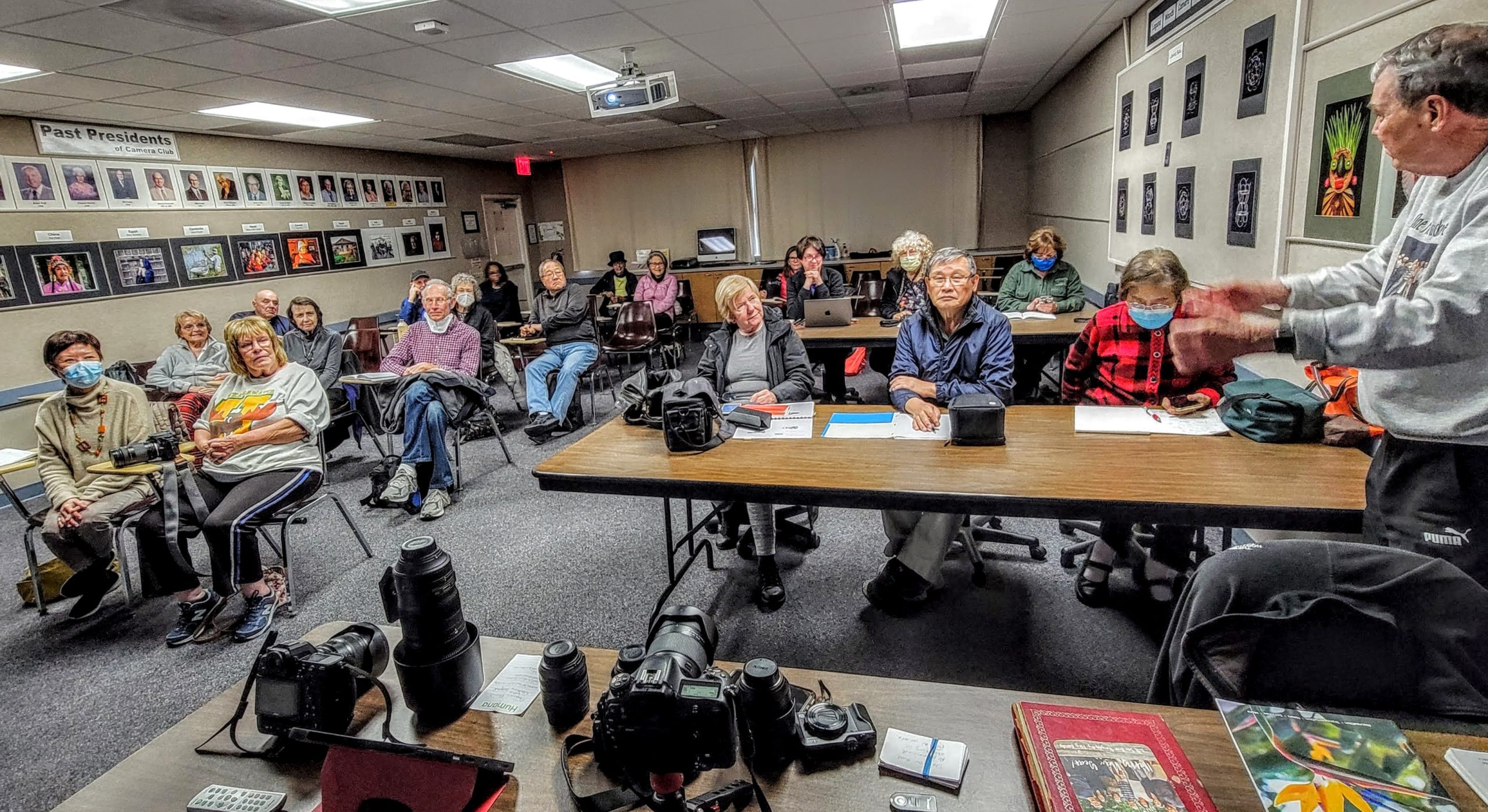
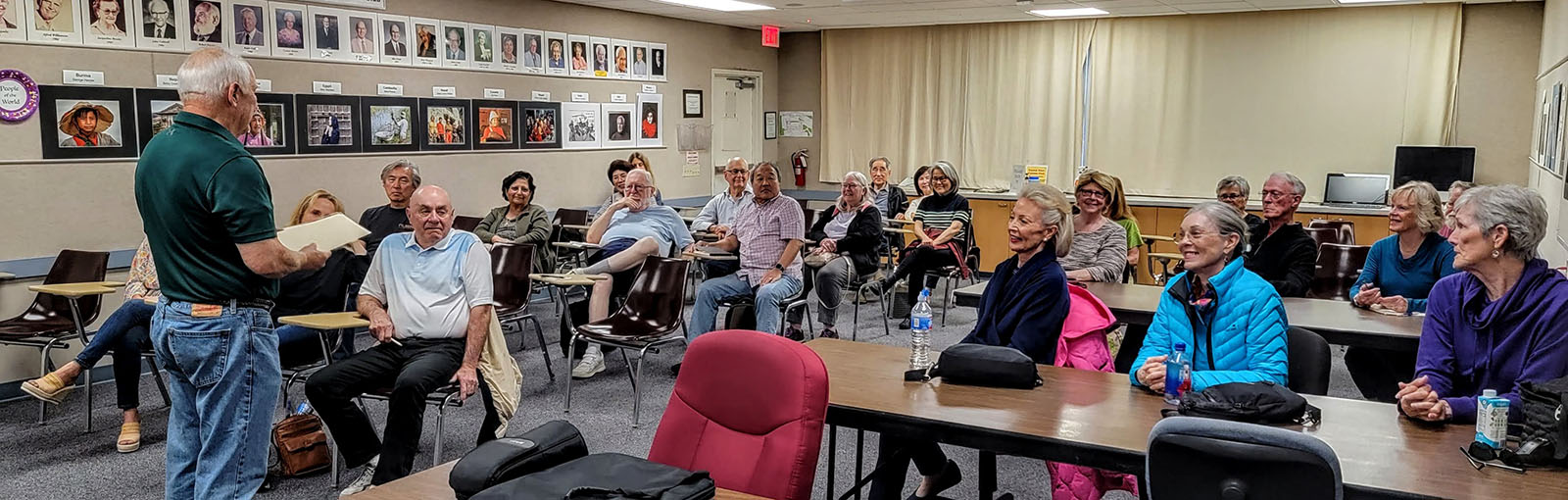

Clubhouse 4 Photo Lab classroom

iPhone Photography Class, Kim Paar, June 2023
Clubhouse 4 Photo Lab classroom
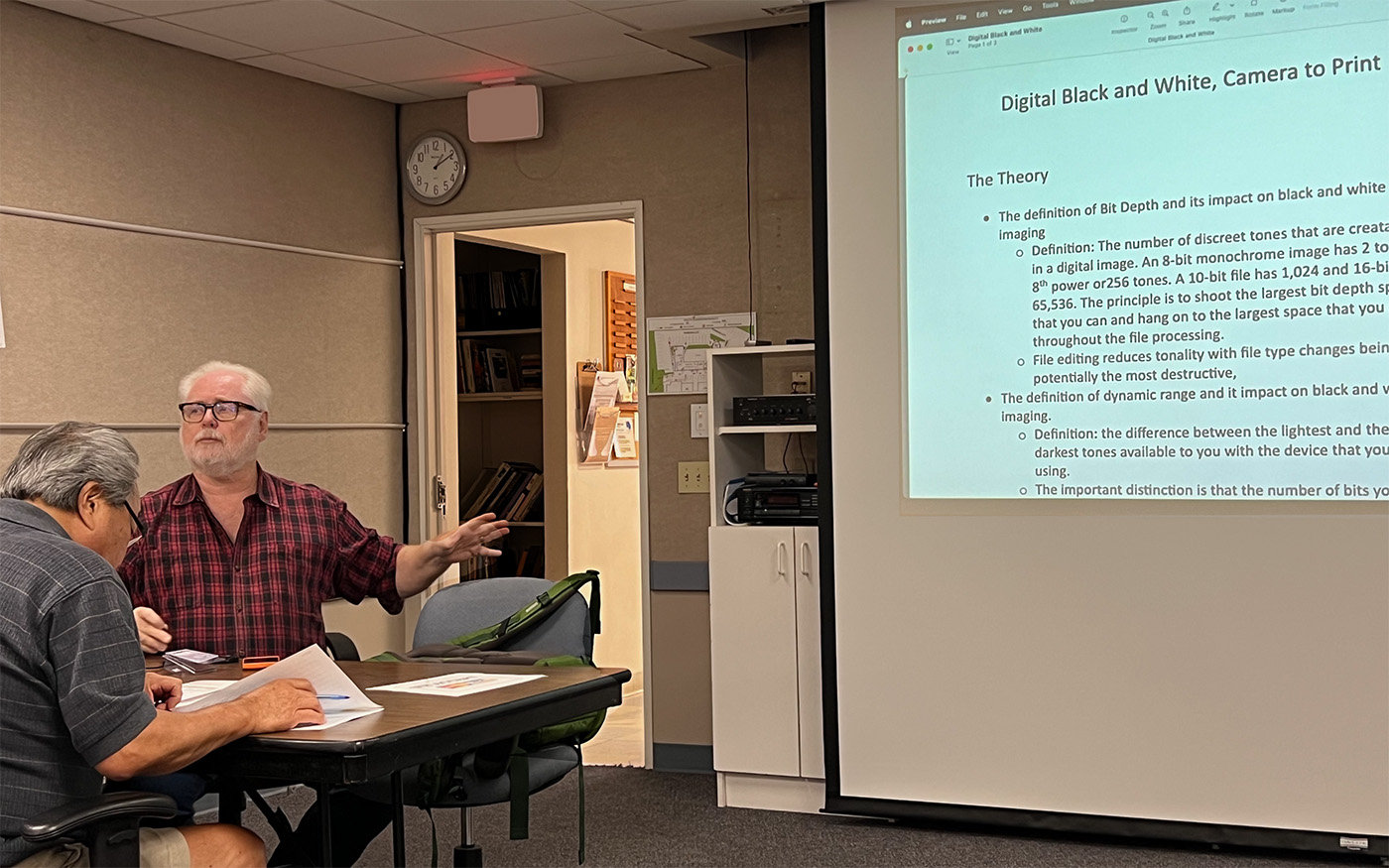
“Black and White Conversion and Printing”
Barry Evans, August 2023
Clubhouse 4 Photo Lab classroom